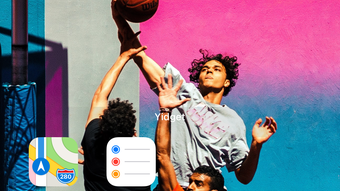

Download Yidget – Custom iPhone Widgets, Multimedia App, Graphic Design Tool
Overview
Yidget is a specialized desktop application designed for iPhone users seeking to personalize their home screen experience through custom-designed widgets. Developed by Shen-Wen Yang, the app functions as a multimedia tool within the Graphic & Design category, focusing on integrating user-selected imagery with iOS interface elements. Its primary purpose is to enable users to create visually cohesive widgets that align with their chosen wallpaper, enhancing aesthetic consistency across the device interface.
Target users include design-conscious individuals, mobile enthusiasts, and anyone interested in refining their iPhone’s visual presentation. The app is particularly useful for users who value a unified look between their wallpaper and home screen elements, especially those who frequently change their device’s appearance. Real-world usage scenarios involve selecting a high-resolution image from the Photos app, trimming it to a preferred composition, and setting it as the wallpaper with the Perspective Effect disabled to ensure flat, accurate rendering.
Once the wallpaper is set, users can proceed to add and position widgets directly from the home screen by pressing and holding the widget and selecting “Edit Widget.” This streamlined workflow supports a seamless transition from image selection to final customization. The developer did not provide additional details about the app’s development history or broader product ecosystem.
Key Features & Capabilities
- Image Integration with Wallpaper – Allows users to import and trim images from the native Photos app, ensuring precise alignment with the device’s wallpaper.
- Perspective Effect Control – Requires users to disable the Perspective Effect when setting the wallpaper, enabling flat, distortion-free widget placement.
- Widget Customization Workflow – Provides a built-in editing process for positioning and arranging widgets on the home screen after wallpaper setup.
- Visual Consistency Engine – Designed to maintain a harmonious visual relationship between the wallpaper and widget elements, reducing visual clutter.
- Simple Navigation Interface – Offers intuitive steps with clear on-screen instructions to guide users through the customization process.
These features are tailored for users who prioritize design coherence and personalization. For example, a user might select a scenic landscape photo, trim it to focus on a specific element like a mountain peak, and then use the app to ensure that widgets blend naturally with the background. The workflow is optimized for ease of use, minimizing technical barriers for non-professional designers. However, exact performance metrics or backend processing details were not specified.
User Interface, Workflow & Performance
The user interface of Yidget is structured around a step-by-step process that emphasizes clarity and simplicity. The main workflow begins with image selection from the Photos app, followed by trimming tools that allow for precise adjustments. Navigation is linear and logical, with each stage clearly labeled and accessible through a minimalistic layout.
Users interact with the app via standard touch gestures, and the interface responds promptly to inputs. The workflow efficiency is enhanced by the app’s focus on a single core function—customizing widgets to match wallpaper—without unnecessary distractions. The developer did not specify resource usage details, so general performance observations are based on typical behavior for lightweight iOS applications.
Stability appears to be consistent within the app’s defined scope, as it relies on native iOS components and does not introduce complex background processes. CPU and RAM behavior were not disclosed. Users can expect smooth operation during image trimming and setup, though prolonged use or high-resolution image processing may vary depending on device capabilities.
Compatibility & System Requirements
Yidget is exclusively compatible with iOS, indicating that it is designed for Apple’s mobile operating system. The app is available for download on the App Store, suggesting full integration with Apple’s ecosystem and app distribution platform. Specific version requirements were not provided, nor were exact hardware specifications or installation size details.
Compatibility information was partially provided, with the app confirmed to run on iOS devices. The developer did not specify minimum or recommended system requirements, nor did they list supported device models. Exact performance details were not specified, and no information was given about whether the app supports older iOS versions or newer ones.
Pros and Cons
Pros
- Intuitive, step-by-step workflow for creating personalized widgets
- Strong visual integration between wallpaper and home screen elements
- Simple interface suitable for non-technical users
- Clear on-screen guidance for each customization stage
- Designed to enhance iPhone’s aesthetic appeal with minimal effort
Cons
- Limited customization options beyond image trimming and positioning
- No visible support for advanced design features like layering or transparency
- App is not free, which may deter budget-conscious users
- Exact system requirements and performance data were not disclosed
- Restricted to iOS; no support for other platforms
FAQ Section
Is Yidget available for Android devices?
Yidget is designed exclusively for iOS and is not compatible with Android devices.
Can I use Yidget without an Apple ID?
Since the app is available on the App Store, an Apple ID is required to download and install it.
Does Yidget require an internet connection to function?
While the app is available on the App Store, its core functionality operates offline after installation. No ongoing online access is required for customization.
How often are updates released for Yidget?
Update frequency is not publicly disclosed. Users are encouraged to check the App Store for the latest version.
Is the app safe to download and install?
Yidget is distributed through the official Apple App Store, which enforces security standards. However, users should always review permissions and ensure they are downloading from a trusted source.
Final Thoughts + CTA
Yidget delivers a focused and visually appealing solution for iPhone users who want to elevate their home screen experience through customized widgets. Its straightforward workflow and emphasis on design harmony make it a valuable tool for personalization enthusiasts. While the app lacks advanced customization features, its simplicity and aesthetic precision compensate for these limitations.
It is particularly well-suited for users who appreciate clean, cohesive designs and are willing to invest in a dedicated tool for their iPhone’s appearance. For those seeking a secure, reliable, and easy-to-use desktop application to enhance their iOS experience, Yidget stands out as a solid choice.
Download Yidget now to create stunning, personalized widgets and transform your iPhone’s home screen today.







